# Setup IM (Internal Messaging)
{% hint style="info" %}
IM is not bi-directional at this time. Messages cannot be replied to.
{% endhint %}
ASM can send internal Message popups to agents for predefined situations such as:
* Bulletin Board notifications
* Ticket assignment
* Ticket Escalation
* Request Escalation
* Request Assignment
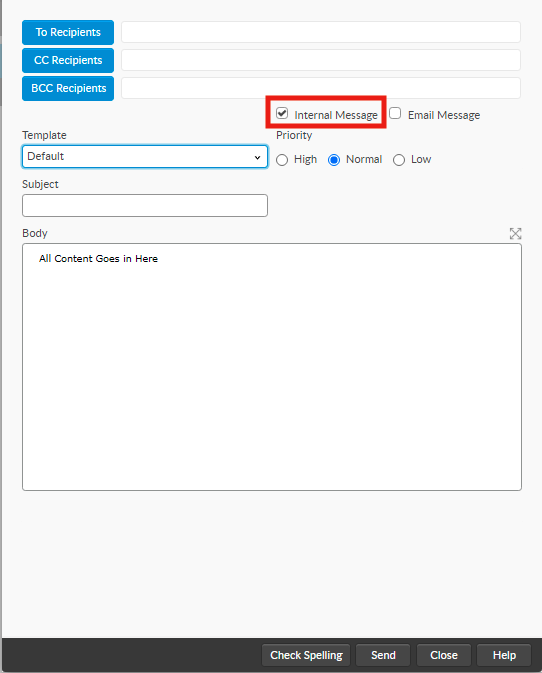
Agents can also send internal messages whenever they wish by Clicking the **New** icon in the main menu and selecting **Message**.
## To Setup Internal Messaging
### For IPK
1. The IPK Management Security Role must have Available Recipient Checked.
2. The Agent must have an IPK Management Security role with Available Recipient enabled.
3. The agent must have System Messaging enabled on the Person record.
{% hint style="warning" %}
Only agents with an IPK Security Role that has **Available Recipient** checked will receive messages even if the capability is configured elsewhere..
{% endhint %}
### For Requests/Workflow
1. The Workflow Management Security Role must have Available Recipient Checked.
2. The Agent must have a Workflow Management Security role with Available Recipient enabled.
3. The agent must have System Messaging enabled on the Person record.
{% hint style="info" %}
Only agents with a Workflow Management Security Role that has Available Recipient checked will receive messages.
{% endhint %}
### System Administration Settings
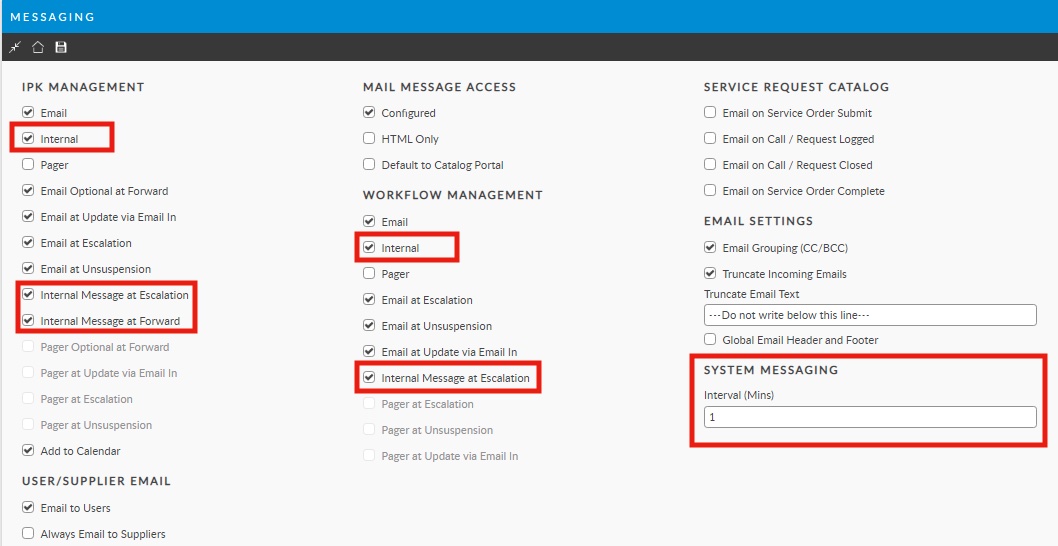
* Internal Messaging must be enabled in the System Administration >Messaging options.
### Polling Service
* The Messaging polling service must be running.
---
# Agent Instructions: Querying This Documentation
If you need additional information that is not directly available in this page, you can query the documentation dynamically by asking a question.
Perform an HTTP GET request on the current page URL with the `ask` query parameter:
```
GET https://docs.alemba.com/asm-eos-10.5/asm-gaia-10.4/setup-and-configure-asm/setting-up-your-system/setup-im-internal-messaging.md?ask=
```
The question should be specific, self-contained, and written in natural language.
The response will contain a direct answer to the question and relevant excerpts and sources from the documentation.
Use this mechanism when the answer is not explicitly present in the current page, you need clarification or additional context, or you want to retrieve related documentation sections.