> For the complete documentation index, see [llms.txt](https://docs.alemba.com/asm-hermes/llms.txt). Markdown versions of documentation pages are available by appending `.md` to page URLs; this page is available as [Markdown](https://docs.alemba.com/asm-hermes/setup-and-configure-asm/installation-and-patching/installation-powershell-parameters/administration-using-powershell-scripts.md).
# Administration Using PowerShell Scripts
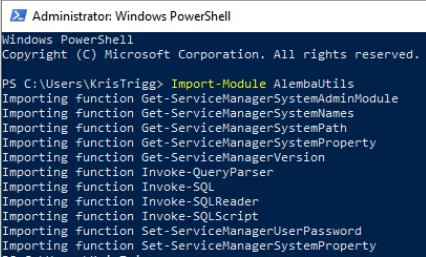
## Import-Module AlembaUtils
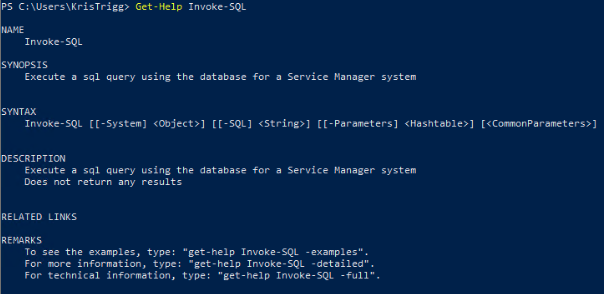
## Use Get-Help ( PowerShell Feature) to display information about each function
An example: Changing and getting the value of Time Out
```powershell
get-help Set-ServiceManagerSystemProperty
```
In the received information, you find:
{% code overflow="wrap" %}
```powershell
“Set-ServiceManagerSystemProperty -SystemNameproduction -Name TimeOut -Value 240”
```
{% endcode %}
Change the value to the desired one and enter it as a new command:
{% code overflow="wrap" %}
```powershell
Set-ServiceManagerSystemProperty -SystemName production -Name TimeOut -Value 300
```
{% endcode %}
To get the information about the new TimeOut Value: The Syntax section helps you go from:
{% code overflow="wrap" %}
```powershell
SYNTAX
Set-ServiceManagerSystemProperty [[-Value] ,Object>] [[-Name] ,String.] [[-SystemName] ,String.] [,CommonParameters.]
```
{% endcode %}
To:
{% code overflow="wrap" %}
```powershell
Get- ServiceManagerSystemProperty –Name TimeOut –SystemName “production”
```
{% endcode %}
## AlembaUtils Functions
### Get-ServiceManagerSystemAdminModule
```powershell
.SYNOPSIS
Get the admin module for a named ASM system
.DESCRIPTION
Get the admin module for a named ASM system
.PARAMETER SystemName
The name of the Service Manager system
.EXAMPLE
Get-ServiceManagerSystemAdminModule -SystemName production
```
### Get-ServiceManagerSystemNames
```powershell
.SYNOPSIS
Get a list of installed alemba systems
.DESCRIPTION
Get all local alemba system names as an array of strings
.EXAMPLE
Get-ServiceManagerSystemNames
```
### Get-ServiceManagerSystemPath
{% code overflow="wrap" %}
```powershell
.SYNOPSIS
Get the install path for a named Service Manager System
.DESCRIPTION
Returns the path to the system folder for a named system
.PARAMETER SystemName
The name of the Service Manager system
.EXAMPLE
Get-ServiceManagerSystemPath -SystemName production
=> C:\alemba\Service Manager\web\systems\production\
```
{% endcode %}
### Get-ServiceManagerSystemProperty
{% code overflow="wrap" %}
```powershell
SYNOPSIS
Get the current value of a specified system property for a named Service Manager system
SYNTAX
Get-ServiceManagerSystemProperty [-SystemName]