> For the complete documentation index, see [llms.txt](https://docs.alemba.com/asm-hermes/llms.txt). Markdown versions of documentation pages are available by appending `.md` to page URLs; this page is available as [Markdown](https://docs.alemba.com/asm-hermes/setup-and-configure-asm/configuring-your-system/configuring-screens/dynamic-screens/adding-images-and-progress-indicators-to-your-screens.md).
# Adding Images and Progress Indicators to your screens
You can add progress indicators or images to any screen in core using the HTML widget.
Some screens have images or other indicators that display dynamically as graphics. These are added through the HTML widget, meaning you can use any image you like. Control over when they show up is managed with [rules](/asm-hermes/setup-and-configure-asm/configuring-your-system/configuring-screens/dynamic-screens/using-rules.md).
> Example: A progress indicator may cover several statuses: Triage, Investigating, Escalated, Fix Assigned, and Closed. You can add a progressive graphic representing each of these states, in this example 5 different images stacked on top of one another. Finally, setup rules to show or hide each graphic based on the status of the call/ticket.
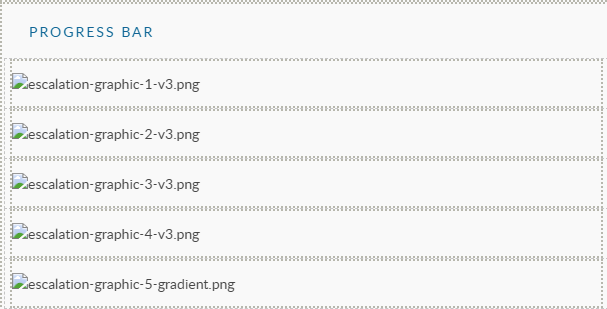
1. [Add the HTML boxes](/asm-hermes/setup-and-configure-asm/configuring-your-system/configuring-screens/building-screens-in-asm-designer.md) and insert your images - 1 per box
HTML Fields with graphics pasted inside
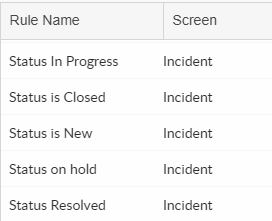
2\. [Setup your rules](/asm-hermes/setup-and-configure-asm/configuring-your-system/configuring-screens/dynamic-screens/using-rules.md) for when the boxes should be hidden
Rules- to show or hide based on the status
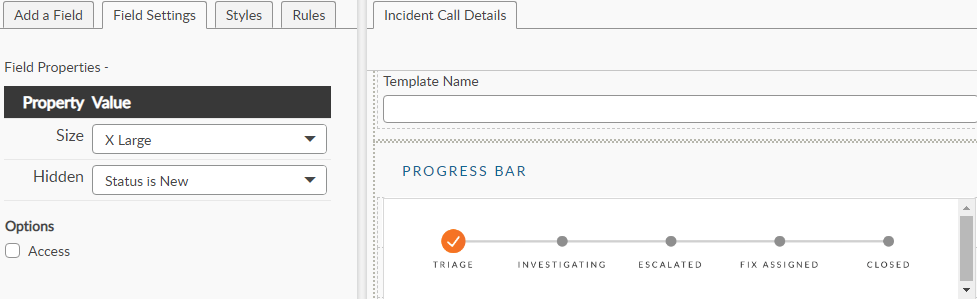
3\. [Configure the fields](/asm-hermes/setup-and-configure-asm/configuring-your-system/configuring-screens/building-screens-in-asm-designer/configuring-fields.md)
Example: Rules applied to the HTML field that determine when the image should be hidden