> For the complete documentation index, see [llms.txt](https://docs.alemba.com/asm-hermes/llms.txt). Markdown versions of documentation pages are available by appending `.md` to page URLs; this page is available as [Markdown](https://docs.alemba.com/asm-hermes/setup-and-configure-asm/configuring-your-system/system-administration-settings/preview-features-advanced-options/settings/multi-language/languages/service-title-language-updates.md).
# Service Title Language Updates
{% hint style="info" %}
**Translation Service must be enabled** in **System Administration>Preview Features>Settings** for this option to be enabled..
You must have **System Setup** and **Self Service Portal Setup** enabled in your **General Access Security Role.**
{% endhint %}
Generate or Update Service Title Labels
1. Access **System Administration>Preview Features>Languages**
2. **Select the Language pack to edit** by selecting the language from the **Language Selector**
3. Select the **Service Titles** Tab
4. Click **Generate**
5. Click **Save**.
6. Provide a reason if prompted.
When your Portal has untranslated service titles for a given language, ASM will display message indicating that you have untranslated titles.
**When you add or update Services, you may need to update and generate the new service titles in the languages you are supporting.**
When there are Service Titles that have not been translated, the **Generate** button is active, as pictured above. If there are no Service Titles to be translated, it will be greyed out.
**Translation Service must be enabled** in **System Administration>Preview Features>Settings** for this option to be enabled..
You must have **System Setup** and **Self Service Portal Setup** enabled in your **General Access Security Role.**
Manually Search and Update a Label
1. Access **System Administration>Preview Features>Languages**
2. **Select the Language pack to edit** by selecting the language from the **Language Selector**
3. Ensure you are in the **Service Titles Tab**
4. Select the row and click the **Edit** icon.
5. Make your change and click the **Edit** icon again.
6. Click **Save**.
7. Provide a reason if prompted.
## Changing Static Service Title Labels on the Self-Service Portal
Access **System Administration>Preview Features>Languages**
**Edit static labels and Service titles which will be displayed in the Self Service Portal for each enabled language.** If the Translation Service is enabled you can also translate missing labels for the selected language using the **Generate** button.
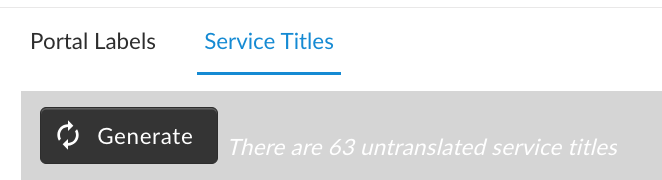 When there are Service Titles that have not been translated, the **Generate** button is active, as pictured above. If there are no Service Titles to be translated, it will be greyed out.
 **Translation Service must be enabled** in **System Administration>Preview Features>Settings** for this option to be enabled..
You must have **System Setup** and **Self Service Portal Setup** enabled in your **General Access Security Role.**
**Translation Service must be enabled** in **System Administration>Preview Features>Settings** for this option to be enabled..
You must have **System Setup** and **Self Service Portal Setup** enabled in your **General Access Security Role.**
