> For the complete documentation index, see [llms.txt](https://docs.alemba.com/asm-hermes/llms.txt). Markdown versions of documentation pages are available by appending `.md` to page URLs; this page is available as [Markdown](https://docs.alemba.com/asm-hermes/use-asm/using-asm-core/requests-and-tasks/searching-for-tasks.md).
# Searching for Tasks
You will likely be assigned tasks in addition to break/fix calls. ASM organizes your tasks through your workload the same as it does your other work.
ASM Core enables you to search for tasks and/or approvals using a variety of search criteria. This search function includes the ability to select both high- and low-level criteria to filter your search. You can, for example, search for tasks completed by a particular analyst, for a specific client and after a certain date.
### Workload Search
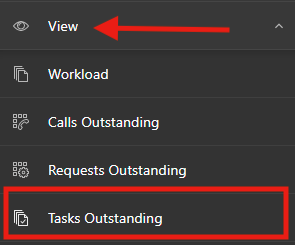
You can view your tasks in the workload easily by [viewing your outstanding items](/asm-hermes/use-asm/using-asm-core/getting-started/searching-for-items/outstanding-item-searches.md).
{% embed url="" %}
### Quick Search
If you know the number of the task or approval you want to view, use the Quick Search field on the toolbar 
1. If the number you enter matches more than one entity (such as a KB, or a call number), a drop down will appear. Select **Task** in drop-down field.
2. The **Task Details** window for the corresponding task or approval appears.