> For the complete documentation index, see [llms.txt](https://docs.alemba.com/asm-hermes/llms.txt). Markdown versions of documentation pages are available by appending `.md` to page URLs; this page is available as [Markdown](https://docs.alemba.com/asm-hermes/use-asm/using-asm-core/requests-and-tasks/suspending-a-task.md).
# Suspending a Task
You can suspend individual tasks, rather than the entire request.
Beginning in version In 10.6.8.14701 (HERMES) you can enable Task/Request suspension. The option to enable it is located within **System Administration > Security Roles>Workflow Management>Tasks tab**
{% hint style="info" %}
Prior to 10.6.8.14627 (*AS-3802*), this feature was available as a "Preview Feature".
{% endhint %}
## Suspending your Tasks
{% hint style="info" %}
The "**Auto stop clock on Agreement Suspension**" Must be enabled in the OLA Agreement Details page.
{% endhint %}
1. Access the task you would like to suspend
2. Click the Defer button (note: It may have been renamed)
3. Suspend the task and enter a date to end the suspension.
4. Select an applicable status for the task.
5. To also suspend the request's SLA, tick the **Suspended Request** check box.
{% hint style="info" %}
Applies to: HERMES 10.6.8.14627 (*AS-3802*) and later
When **Suspended Request** is selected, this will suspend both the Request and the associated Tasks. The Request SLA clock will be stopped. This option will only be available in the screen if "**Allow Suspend Request from Task**" is enabled in the Security Role.
{% endhint %}
6. Click Save
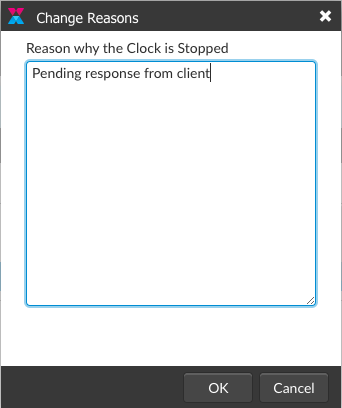
7. If a **Stop Clock Reason** is required, a pop-up will prompt you to enter a reason you are stopping the clock.