> For the complete documentation index, see [llms.txt](https://docs.alemba.com/asm/llms.txt). Markdown versions of documentation pages are available by appending `.md` to page URLs; this page is available as [Markdown](https://docs.alemba.com/asm/asm-hermes/use-asm/using-the-self-service-portal/logging-and-reviewing-tickets-and-tasks-approvals/closing-your-tickets.md).
# Closing Your Tickets
You can close your own tickets in ASM if the capability has been granted to you.
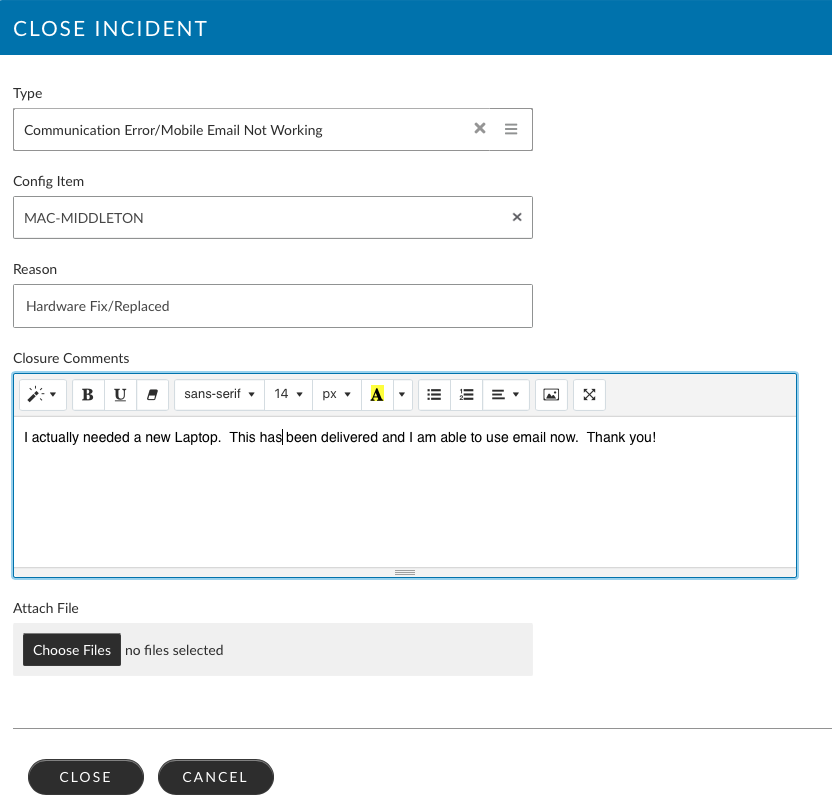
To Close your own ticket:
1. Log in to the Self Service Portal and locate the ticket you want to close
2. When the ticket review loads, click the "Close" button
3. The Closure screen will load prompting you to specify the closure details. Complete the fields with the most sensible values, and then click "Close" at the bottom of the screen.