Prerequisites

EWS Email Configuration Prerequisites

Authorizing User
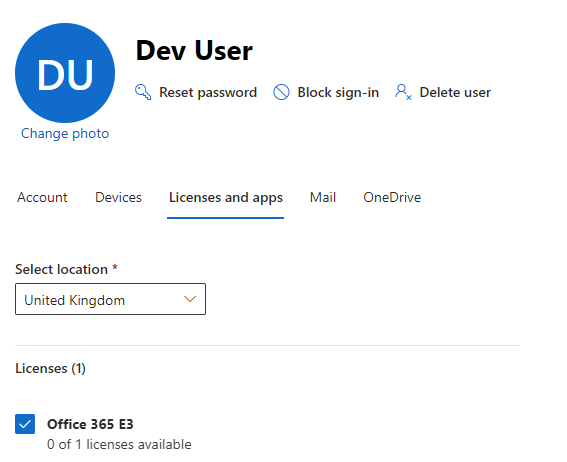
  1. A user account with a valid mail licence used for authentication with EWS e.g. Office 365 E3

  2. This users email address can be used for sending and receiving email but Alemba recommends using a Shared Mailbox.

  3. Users can be created and managed in the Microsoft 365 Admin Center.

circle-exclamation
circle-info

The Mail User account and related email address may be used for sending and receiving email.

Alemba recommends configuring a shared mailbox for this purpose.

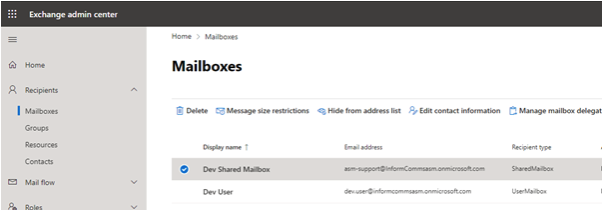
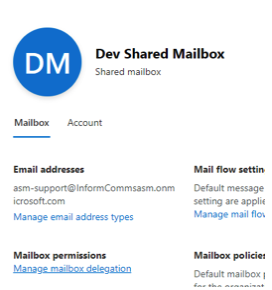
  1. Shared Mailboxes are created in the Exchange Admin Center:

Email Address for Send and Receive

The Mail User account and related email address may be used for sending and receiving email. Alemba recommends configuring a shared mailbox for this purpose.

  1. Shared Mailboxes are created in the Exchange Admin Center:

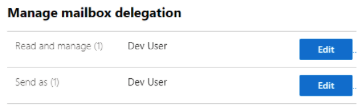
  1. Allow the “Authorizing User” to “Read and Manage” and “Send as” the Shared Mailbox using “Manage mailbox delegation”

Azure App Registration

  1. Register an application in Azure for a Web type client. This is used to authorize the connection from ASM to EWS

Details on how to create an app registration can be found here:

  1. Add web redirect url arrow-up-rightto the app registration

  2. Create a client secretarrow-up-right for the app registration. Make a note of the secret and keep it secure. You will need it later.

Configure ASM

  1. Ensure the ASM web site has a https binding with a valid SSL certificatearrow-up-right. This is required for the web redirect url.

  2. Enable “Email OAuth 2.0 Support” in the Preview Features/Advancedarrow-up-right Features of system admin. You may need to log out for the changes to take effect.

Last updated